
Writing · Guides
Can a wedding website be partly public and partly private?
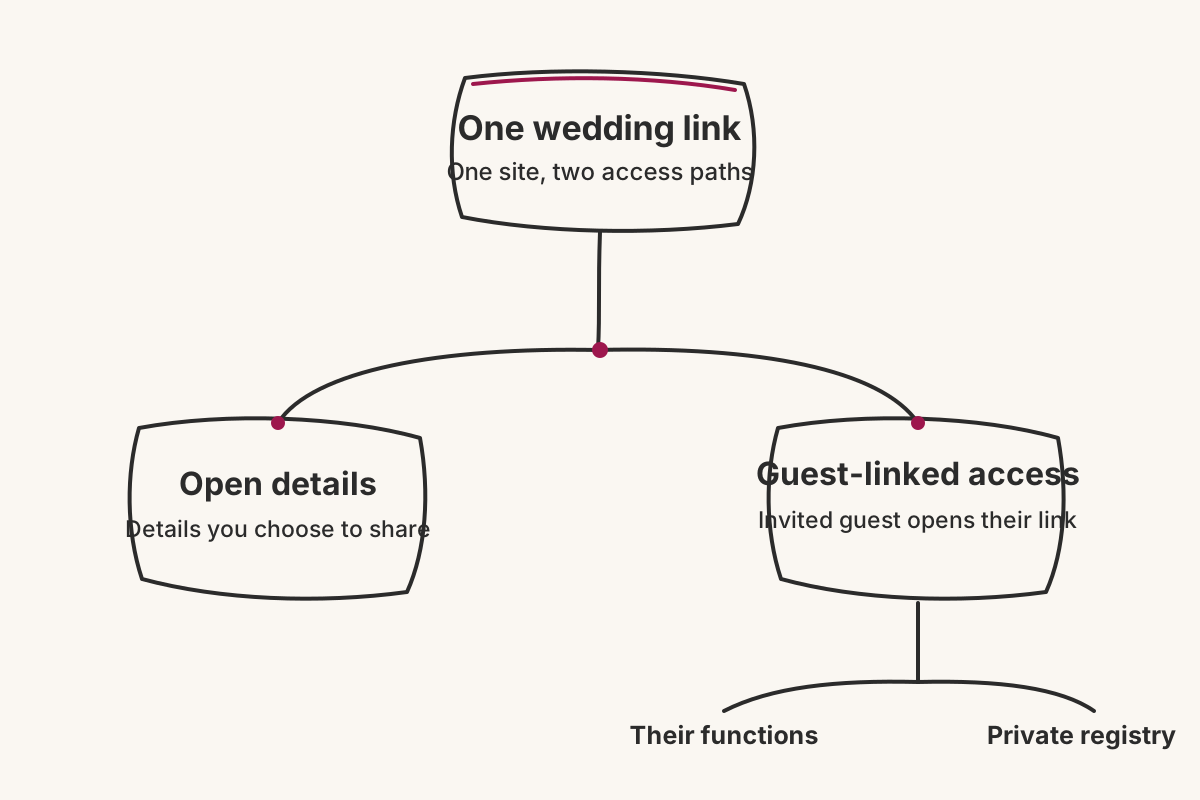
Yes. A wedding website can keep selected details open while restricting other information to invited guests. With Vowframes, each guest opens a link tied to them and sees only the functions they are invited to, while private details such as UPI or bank information can stay inside the guest-only registry.

Yes. A wedding website can keep selected details open while restricting other information to invited guests. With Vowframes, each guest opens a link tied to them and sees only the functions they are invited to, while private details such as UPI or bank information can stay inside the guest-only registry.
The useful question is not whether the whole site is “public” or “private.” It is who needs each piece of information. A broad announcement and a family-home address do not need the same audience. Deciding that boundary before sharing the wedding link avoids publishing too much or hiding everything behind a wall that makes the site less useful.
What should you decide before sharing the wedding website?
List the information on the site before choosing who can see it. Start with event names, venues, timings, guest instructions, registry details and the gallery. Beside each item, write the smallest group that genuinely needs it.
Use three practical questions:
- Would this detail be safe if the link were forwarded?
- Does seeing it reasonably look like an invitation?
- Does it include personal, financial or family information?
The second question matters in a multi-function wedding. A reception-only colleague who sees the Mehendi time and venue may reasonably think they are included. Privacy is therefore not only about secrecy; it is also about making the invitation unambiguous.
Vowframes can keep some details open while making others invite-only. Make that split deliberately rather than treating one setting as the answer for the entire wedding.
How should event access follow the invited lists?
Treat each function as a separate invitation decision. Vowframes gives every event its own venue, timing and invited list. The same wedding URL then shows a guest only the functions they are invited to.
That keeps the schedule relevant without creating a separate website for every group. A cousin joining the Haldi, Sangeet, ceremony and reception sees those functions. A colleague invited only to the reception sees the reception. Neither has to compare a complete programme with an invitation card or ask which lines apply.
Build the access plan from the final guest list, not from a family chat. For every person, confirm the functions they should see before their link is shared. If the decision is still open, settle it first; visibility should follow an invitation, not become the way someone discovers one.
Which details deserve invite-only access?
Start with information that should not travel beyond the guest list. Vowframes supports a private registry for UPI or bank details, and contributions go directly to the couple rather than being processed by Vowframes. Keeping those details guest-only is more controlled than placing them in a group chat that can be copied or forwarded without context.
Event access deserves the same care. A smaller function, a family-home venue or any event with a limited invited list should appear only to the people included. The product supports invite-only access and guest-linked views, so the site can carry useful specifics without turning every function into a general announcement.
The private photo gallery also stays restricted to invited guests. Treat it as a separate post-wedding check: confirm who should retain access before making the gallery the place guests return to for photographs.
How do you test the public and private split?
Check the site from more than one point of view. Open it first as someone with only the generally shared information available. Then use the links for a reception-only guest and a relative invited across several days.
For each view, ask four things: Are unrelated functions absent? Are all invited functions present? Are private registry details limited to invited guests? Can the person still find the information they actually need?
Finally, repeat the check whenever an invited list changes. A venue update can reach everyone who needs it through the wedding site, but it still depends on the right people having access to that function. One wedding link stays dependable only when the visibility decisions behind it remain current.