
Writing · Guides
Can you try a wedding website before paying?
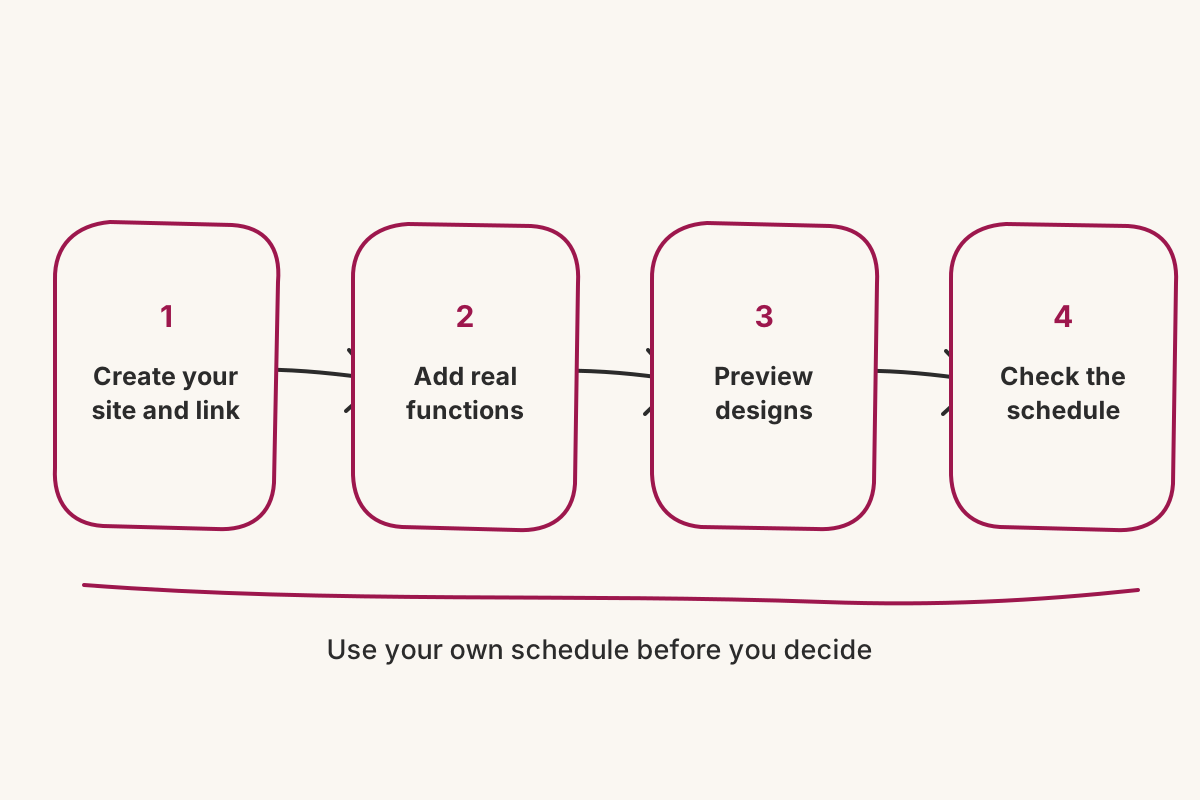
Yes. Vowframes lets you create your wedding site, receive its wedding link, preview designs and set up events before paying. Use that time to enter a few real functions, compare how the same schedule reads across designs, and check whether guests will be able to find the right venue and timing quickly.

Yes. Vowframes lets you create your wedding site, receive its wedding link, preview designs and set up events before paying. Use that time to enter a few real functions, compare how the same schedule reads across designs, and check whether guests will be able to find the right venue and timing quickly.
A preview should answer more than “Do we like the colours?” An Indian wedding site has to remain clear when a Thursday Mehendi, Friday Sangeet and Sunday reception have different venues and timings. Build a small but realistic version first. It will tell you more than clicking through a polished demonstration filled with somebody else’s wedding details.
What can you set up before paying?
Start by creating the site and choosing its wedding link. Add two or three real functions with their actual venue and timing, then preview how those details sit together. Vowframes allows the site, link, design preview and event setup before payment, so you can evaluate the structure with your own schedule rather than deciding from a feature list.
Try more than one design while the content is still small. Vowframes currently has six named designs — Modern Luxe, Editorial Classic, Royal Photo, Pure Elegance, Ivory Bloom and Paper Keepsake — and a site can move between them. The useful question is not which thumbnail looks best. It is which design keeps your longest event name, busiest day and most important venue detail easy to find.
Do not spend the first pass polishing the couple story while the event structure is uncertain. Guests will use the schedule first. If the Mehendi and Sangeet are clear at a glance, you have tested the harder part.
Which functions should you add to the preview?
Choose events that stress different parts of the page. Use one short daytime function, one evening function with a longer venue name, and the ceremony or reception with the largest set of practical details. That gives the design three different jobs instead of repeating the same neat sample card.
Enter the day, date, arrival time and complete venue for each function. Vowframes treats every function as its own event with its own venue, timing and invited list. Even if the trial setup begins with the schedule, write down the intended guest split beside it. A reception-only colleague and a relative joining the full week should not need the same information.
Read each event as a standalone instruction. If someone saw only the Sangeet entry, would they know when to arrive and where to go? If not, improve the event details before judging the design.
How should you compare wedding website designs?
Keep the content fixed while you switch designs. If you shorten every event name or remove details to make a particular preview look tidy, you are no longer comparing the designs; you are comparing different versions of the schedule.
Check the same practical moments in each one: finding Friday’s venue, moving from one function to the next, and distinguishing two events on the same day. Vowframes lets a site move to any of its named designs, so this pass is reversible. Choose the one that makes your real wedding easiest to scan rather than the one that flatters placeholder content.
Also preview the wedding as a sequence, not one event at a time. A design that works for a single reception still has to carry the Mehendi, Sangeet, ceremony and any smaller private function without turning the page into a wall of repeated cards.
What should you confirm before choosing a plan?
First, decide whether the event structure matches your invitations. Vowframes can show the same guest-linked URL differently to each person, with only the functions they are invited to. That matters when the schedule you entered includes events for different groups.
Next, confirm the RSVP model fits the wedding. A guest answers once in one flow for all the events on their invitation, while responses are recorded per function. The Sangeet and reception therefore keep separate counts without sending the guest to separate forms.
Finally, decide what needs to remain open and what should be invite-only. Vowframes can leave some details open while restricting others. That privacy boundary deserves a deliberate decision before the link is shared widely.
Then verify the current plan details on the live pricing page before paying. Plan limits and pricing can change. Building first gives you a grounded decision: you have seen your own functions in the design and checked that the product’s guest access and RSVP structure match the wedding, without relying on a generic demo or another spreadsheet.