
Writing · Templates
When should you share an Indian wedding website?
Share an Indian wedding website once the first confirmed functions, venues and invited lists are ready—not when every decorative detail is finished. Send the link early enough for guests to plan and RSVP, update the site before important travel dates, and make it the place they return to for current details.

Share an Indian wedding website once the first confirmed functions, venues and invited lists are ready—not when every decorative detail is finished. Send the link early enough for guests to plan and RSVP, update the site before important travel dates, and make it the place they return to for current details.
The right moment is set by the first decision a guest needs to make. Someone travelling for a Thursday Mehendi needs the date and city before the couple story is polished. A reception-only colleague needs a clear invitation, not a preview of functions that are still being debated.
Which three decisions make the site ready to send?
Use three readiness gates: the programme, the audience and the deadline. The programme is the set of functions whose date, arrival time and venue are confirmed. The audience is the invited list for each of those functions. The deadline is the day by which an attendance decision becomes operationally useful.
If one gate is missing, keep working privately. Publishing an uncertain address creates a correction before guests have even saved the link. Sending before the audience is settled turns an internal family discussion into a confusing invitation.
Photographs and longer story copy can arrive later. They do not affect whether someone can book travel or answer an RSVP. Vowframes gives every function its own venue, timing and invited list, and its guest-linked URL reveals only the relevant functions. Before launch, compare two deliberately different views: a relative attending the full run and a colleague attending one evening.
How early should you send the wedding website to guests?
Work backwards from the earliest genuine guest deadline rather than choosing a universal number of weeks. Start with travel: when will out-of-town guests need the city and dates to make plans? Then note when the first caterer or venue needs a usable headcount. Put the RSVP deadline before that operational date, leaving the family time to follow up with non-responders.
Use this copyable sequence:
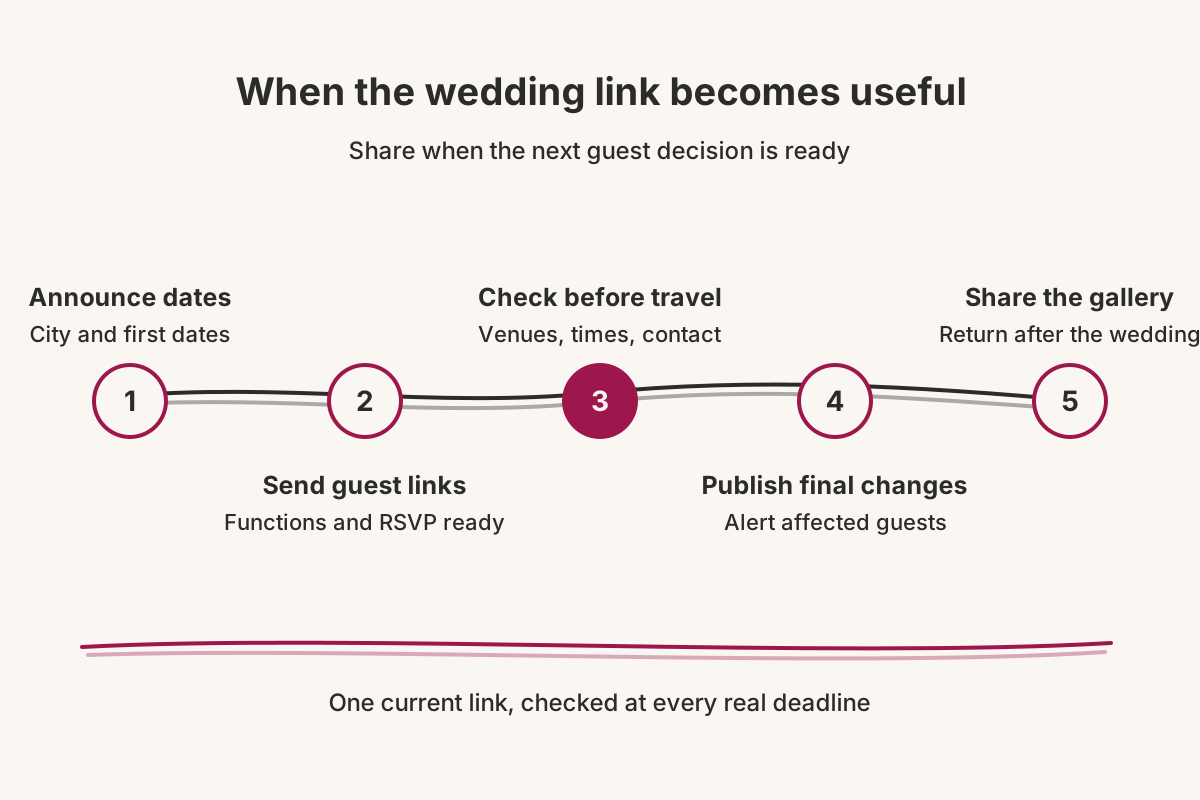
- Dates announced: share only the dates or city if venues and invited lists are not ready.
- Website invitation sent: share the guest’s link when their functions and the first RSVP deadline are confirmed.
- Travel check: review venues, arrival times and contact details before guests begin travelling.
- Final event check: replace any changed detail on the site, then alert only the affected guests through the channel your family uses.
- After the wedding: use the same site for the private gallery when photographs are ready.
Vowframes links can be shared by WhatsApp, SMS or email. The product does not need to dictate the family’s timing; the earliest guest decision does.
What belongs in the launch packet?
Prepare three items for each recipient: their personal link, a response cutoff and one sentence naming the scope of the invitation. That scope might be “the reception” for a colleague or “the celebrations from Mehendi through the ceremony” for a relative. It prevents the short delivery message from sounding broader than the website view behind it.
Do not copy the complete itinerary into WhatsApp, SMS or email. The duplicated version will age the moment a location changes. The delivery note should identify the couple, explain that current function details sit behind the link, and ask for a response by the chosen date.
Vowframes records attendance per function, but the guest answers once in a single flow across their invited events. Ask them to confirm their plans across the listed functions; do not instruct them to complete several independent forms.
Run one final dispatch check. Match the recipient to the intended URL, open that URL, compare the displayed functions with the invitation decision, and only then paste it into the chosen channel. This catches the costly mistake: a valid link belonging to the wrong person.
What happens to the link after launch day?
Treat launch as the beginning of maintenance, not a finished announcement. Whenever a confirmed venue or timing moves, replace the old value on the site first. The corrected page then becomes the reference behind every follow-up instead of competing with an outdated schedule.
For a single change, contact the affected function’s invited list rather than restarting the entire invitation round. Name the function, current place and arrival time, then point back to the existing URL. Vowframes can make that venue change available to the people who need it; the family still chooses and sends the alert. Do not imply that automatic WhatsApp reminders are included.
Set a travel-day audit on the planning calendar. During that audit, look for stale addresses, vague arrival times and an absent day-of contact. Open one single-function view as the last test. Once the celebrations are over, the private gallery can attach to the same site and stay restricted to invited guests. The wedding link moves from planning reference to photograph destination without asking everyone to locate a new folder.